

TikTok’s favorites feature allows users to save videos, sounds, and effects they love, making it easy to revisit content later. However, many users often wonder about privacy settings and whether others can view their saved items. If you’ve ever asked yourself, “can anyone see my TikTok favorites?”, this guide will clarify how favorites work and what is visible to others.
Can Anyone See My TikTok Favorites?
The answer is no. By default, your Favorites, including videos, sounds, and effects you save, are private and cannot be viewed by other TikTok users.
You can enjoy and organize your saved content without worrying about others seeing it. TikTok does not provide a separate setting to make Favorites public, so your collection remains private unless you manually share items from it.
How to Find My Favorite TikTok Videos?
To access the videos, sounds, and effects you have saved on TikTok, follow these steps carefully. Many users wonder can anyone see my TikTok favorites, and understanding the process helps maintain your privacy.
- Step 1 – Open the TikTok App: Launch the TikTok application on your device.
- Step 2 – Navigate to Your Profile: Tap the Profile icon located at the bottom-right corner of the screen.
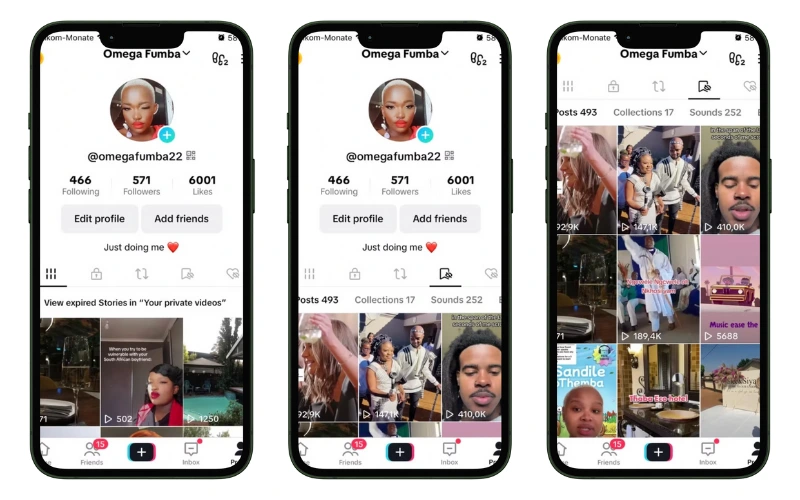
- Step 3 – Access Your Favorites: On your profile page, tap the Bookmark icon situated to the right of the “Edit profile” button. This will take you to your Favorites section.
- Step 4 – View Your Saved Content: Within the Favorites section, you’ll find tabs for Videos, Sounds, Effects, and Collections. Tap on Videos to view all the videos you’ve saved. If you’ve organized them into Collections, you can tap on Collections to see your categorized saved videos.
By default, TikTok Favorites are private; therefore, only the account owner can view them, ensuring your saved content remains confidential.
Comparing Your TikTok Likes and Saved Favorites
Many TikTok users wonder can anyone see my TikTok favorites, so it is helpful to understand the key differences between Liked Videos and Favorites. The table below provides a clear comparison.
| Feature | Liked Videos | Favorites |
| Definition | Videos you tap the heart icon on | Videos, sounds, or effects you save to revisit later |
| Visibility | May be visible to others depending on your privacy settings | Generally private and only visible to you |
| Purpose | Shows appreciation for content | Organizes content for personal reference |
| Organization | All liked videos appear in a single list | Can be organized into collections or folders |
| Privacy Control | Limited by account privacy settings | More control; inherently private unless shared manually |
How Can I Download My TikTok Favorites Without a Watermark?
Downloading TikTok favorite videos without a watermark is possible using third-party tools such as Clippy, a mobile application available for both iOS and Android. Clippy allows users to save TikTok videos quickly and conveniently while removing the watermark, making it ideal for personal use or content reference.
Step-by-Step Guide Using Clippy:
- Step 1: Download and Install Clippy – Search for Clippy in the App Store or Google Play Store, then download and install the app on your device.
- Step 2: Copy the TikTok Video Link – Open TikTok, navigate to the video in your Favorites, tap the Share button, and select Copy Link.
- Step 3: Open Clippy App – Launch Clippy and paste the copied TikTok link into the input field.
- Step 4: Select Download Options – Choose to download the video without watermark.
- Step 5: Save the Video – Tap Download to save the video directly to your phone’s gallery. You can now watch or use your favorite TikTok videos without the watermark.

Using Clippy ensures that your TikTok favorite videos are saved efficiently, maintaining high quality while removing the watermark. Always respect the creator’s content and use downloaded videos ethically.
Conclusion
In summary, TikTok Favorites are largely private and cannot be seen by others, answering the common question can anyone see my TikTok favorites. The only exception is for favorite sounds, which may be visible depending on settings. It is recommended to regularly review your app settings to stay updated on privacy features and ensure your saved content remains secure.
